 Doorvia
Reliable figures, with no re-keying in the evening
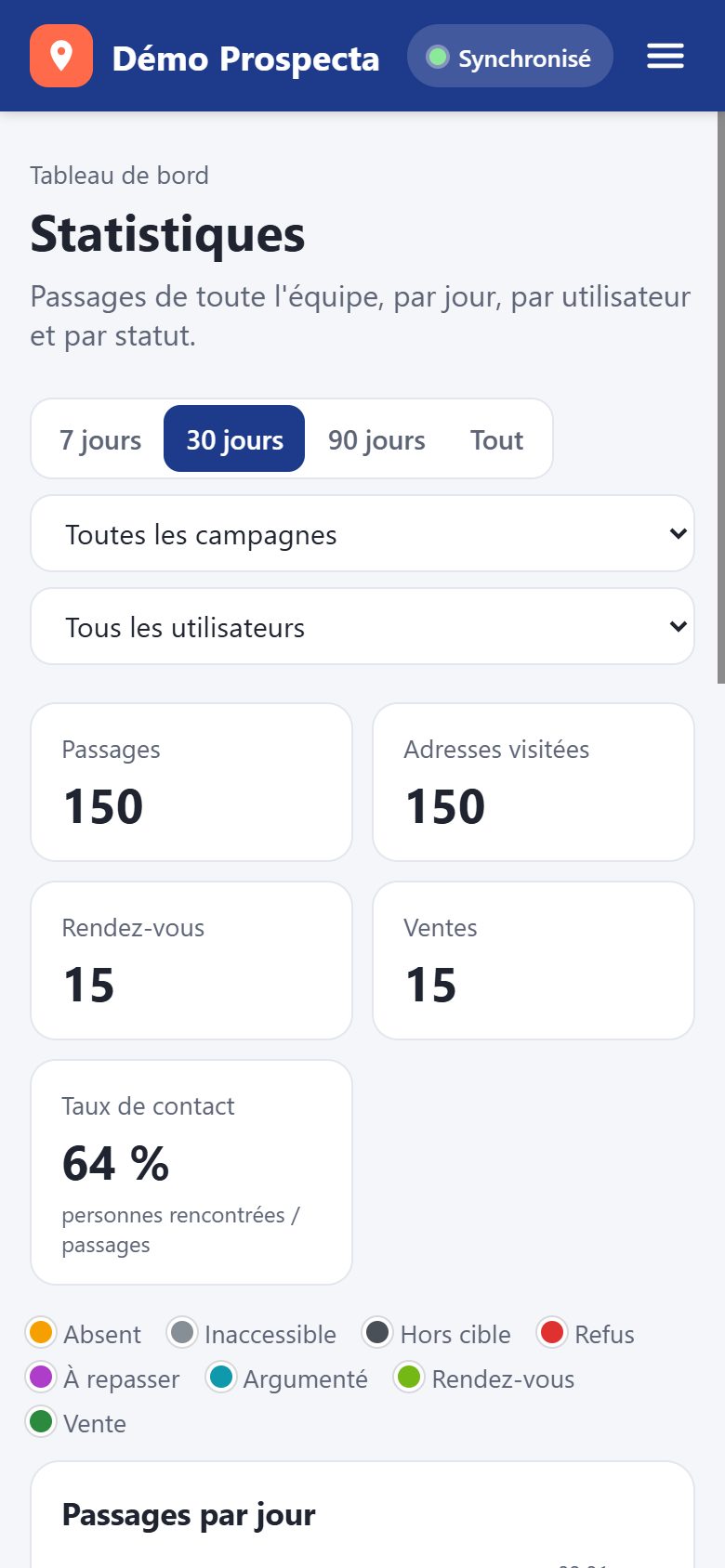
With every pass captured in the field, as it happens, your stats are accurate and up-to-date at all times. You know what's working, where, and with whom.
Indicators that matter
- Doors knocked on and addresses still to be visited
- Contact rate: people met compared to passages
- Refusal and "off-target" by reason
- Appointments and sales by sales representative
- Day-by-day evolution on the campaign
The list of addresses visited
A table of all visited addresses in a campaign, with the last status, reason, salesperson, and date. Filter by status, sales rep, or time period, then open the address on the map with one click.
By address or by passage
Synthetic view (last pass) or detailed view (each pass).
Combinable filters
Status, commercial, period and search by street or municipality.
Export CSV
Download the list for your CRM or spreadsheet, Excel compatible.
Frequently asked questions
Can we compare salespeople with each other?
Yes: visits, appointments and sales are detailed by user, and the list of addresses visited is filtered by sales representative or canvasser.
Can the data be exported?
Yes, the list of visited addresses is exported in CSV, with the GPS coordinates of each address. The data remains the property of your company.